Short answer
Analogous colors are neighboring hues on a color wheel, usually chosen as a group of three: blue, blue-green and green, for example. An analogous color scheme uses that close hue relationship as its foundation. Choose a dominant hue, a supporting neighbor and a smaller accent, then vary lightness and saturation so the colors have distinct jobs rather than blending together.
What are analogous colors?
Analogous describes the relationship between hues, not a particular collection of fashionable colors. On a traditional painter’s wheel, yellow-orange, yellow and yellow-green form one neighboring group; blue, blue-violet and violet form another. Figma’s monochromatic color guide describes the familiar three-neighbor approach. Three is a useful starting structure, not a requirement that every project contain exactly three swatches.
The scheme can include pale and dark versions of those hues. A light green wall, a muted teal textile and a dark blue detail can still belong to an analogous direction. What makes them related is their position within a nearby part of the wheel, not whether every object has the same brightness or intensity. An ivory background may support the arrangement without being one of its neighboring hues.
Use the term to describe a choice you can explain: “We are staying within the green-to-blue area.” It is less useful as a stamp of approval. Neighboring colors can form a coherent direction, but a wheel alone cannot tell you whether a paragraph is readable, a garment suits your intention or two paint samples look right in a room.
Check which color wheel you are using
Traditional RYB painter’s wheels use red, yellow and blue as their primary colors; RGB wheels use red, green and blue. Adobe’s overview of primary and secondary colors distinguishes these models. They do not assign every hue the same spacing or opposite partner, so a neighboring selection from a physical artist’s wheel should not be treated as an identical digital formula.
A digital picker may use HSL, which describes sRGB colors through hue, saturation and lightness. MDN’s HSL reference explains the model and the 180-degree hue change used for an HSL complement. Do not transfer a painter’s wheel relationship to that picker by assuming the angles are interchangeable.
For paint, make a small wheel or sample strip using the paints you actually own. For a screen layout, work within one picker and record the values it produces. For a mixed project, keep both a digital palette and physical samples. “Analogous on the RYB wheel” or “neighboring HSL hues” is a more useful note than “color theory says these must match.”
Analogous colors examples you can adapt
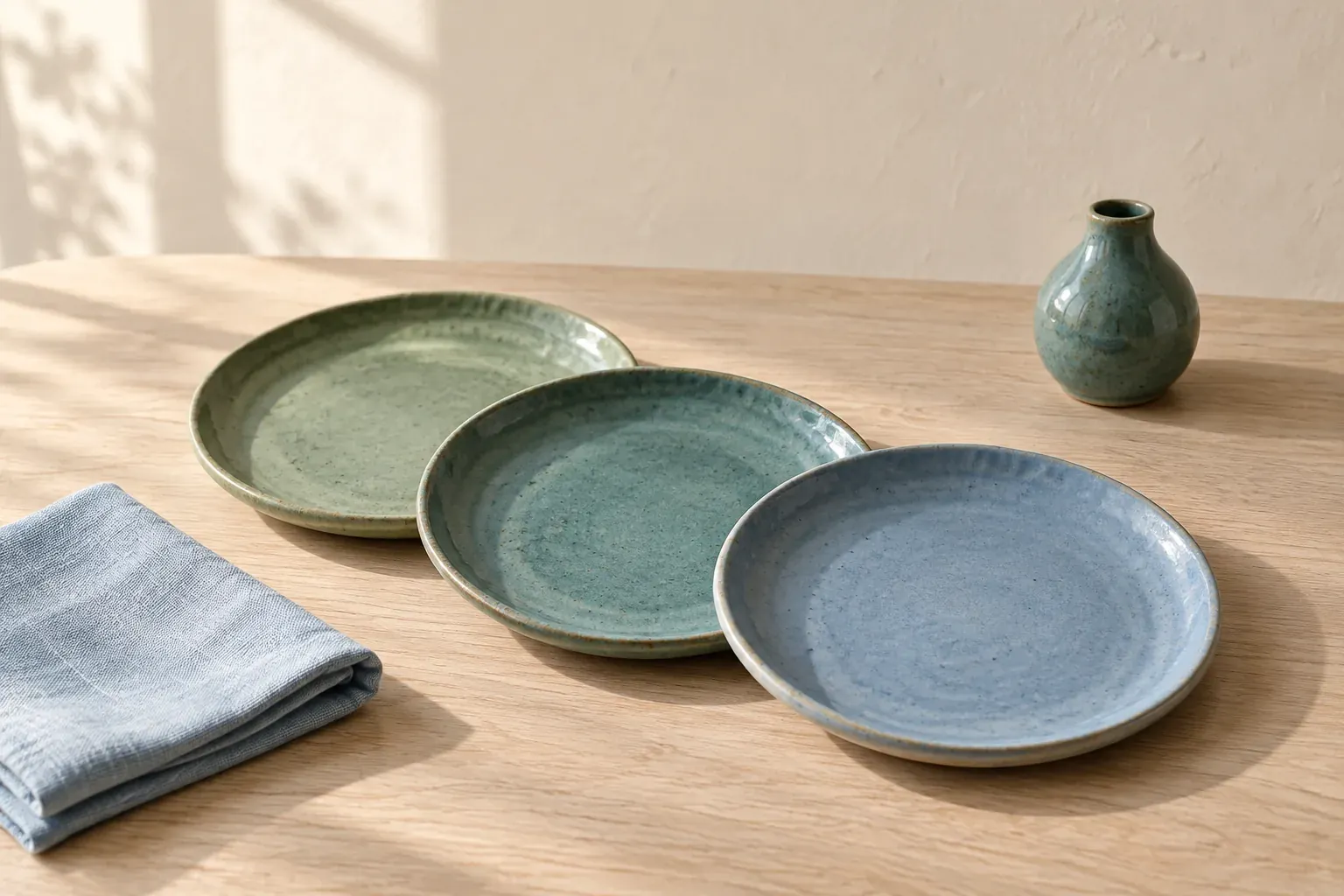
These are original example palettes, not colors extracted from the hero photograph or specifications for a paint brand. The names describe a direction; the hex values make the digital examples reproducible. Add a separate tested text color where the palette will carry writing. Do not assume any listed pair passes a contrast standard.
- Green, teal and blue
- Leaf green #769C80, teal #4D8C8C and muted blue #557F9C. Try a broad green surface, a smaller teal panel and a blue detail for a ceramics or coastal reference board.
- Yellow, yellow-orange and orange
- Muted yellow #D9C36A, golden orange #C99552 and terracotta-orange #B9754B. Use the lightest as a possible broad field and reserve the richer orange for a small object or graphic.
- Blue, blue-violet and violet
- Dusty blue #718DB4, blue-violet #8581B5 and violet #A17FAE. Start with one dominant family rather than giving all three equal space; add a light tint and a deep anchor as needed.
A pale version of one of these groups overlaps with the practical concerns in pastel colors; a muted yellow-to-orange direction can sit beside earth tones. Those labels describe appearance or associations, while analogous describes the relationship on a wheel. The same palette can fit more than one description.
Build a scheme with dominant, supporting and accent roles
Adobe’s color-combination guidance suggests one dominant color, a supporting color and a third accent for analogous schemes. Use that as a design exercise, not a fixed proportion. The dominant color should carry the direction; the support should help organize it; the accent should have a reason to draw attention.
- Name the use: a room, outfit, illustration, brand board or interface sample.
- Choose one hue that belongs in the largest or most characteristic area.
- Select nearby hues on the same wheel for support and accent.
- Make a pale, middle and deep option rather than three equally bright colors.
- Place the colors in a realistic sample and adjust their area, not only their values.
For a fictional ceramics studio board, make muted teal the main direction, green the supporting textile and deep blue the small stamp or packaging detail. Add ivory for space around the objects. If the blue takes over the board, shrink its area before replacing the whole palette. The problem may be proportion rather than the hue relationship.
Keep a short role note beside each swatch. “Teal—main glazed object” gives a later decision a boundary. “Beautiful teal” does not explain where to use it or what to do when another attractive teal appears.
Vary value and saturation before adding more hues
If every swatch is a medium, muted color, you may have three different hue names but very little separation in the final design. First try a lighter background, a darker anchor and a more restrained supporting color. You can keep the neighboring hue direction while giving the eye clearer edges and focal points. The goal is not a longer swatch row; it is a more useful range.
In a room, compare the largest surfaces first: wall, floor and upholstery. In an outfit, compare the main garment with the layer or accessory that touches it. In a graphic, compare the background with the headline and the principal shape. A small color chip hides these interactions, so build a quick arrangement at something like the intended scale.
Temperature is another way to describe the group, but analogous does not mean exclusively cool. You can build a red-to-yellow group, a blue-to-green group or one that crosses a conventional temperature boundary. The guide to warm and cool colors explains why a color’s relative temperature needs a comparison rather than just a name.
When analogous works—and when to change the contrast
Consider analogous colors when you want the color direction to connect several materials without making every object identical. They are a useful constraint for a room with related textiles, a coordinated outfit, a limited-palette illustration or an image-led brand board. That is a practical recommendation, not a claim that neighboring hues produce a universal emotional response.
Change course when the scheme makes important things disappear. In an illustration, the subject may merge with its background. In a presentation, the key finding may look like every supporting detail. Before introducing an opposite hue, test a change in lightness, scale, texture or placement. Sometimes a dark outline or larger gap is enough; sometimes the direction needs a stronger color contrast.
A small outside accent is also an option, but name the result honestly: an analogous foundation with a contrasting accent, rather than a strictly analogous scheme. The label should explain the design, not force you to keep an arrangement that fails its purpose. Save the original and revised versions so you can see which change actually helped.
Analogous vs complementary, triadic and monochromatic
Figma’s color-combination overview distinguishes neighboring, opposite, evenly spaced and single-color approaches. Compare them on the same wheel; a relationship is meaningful only within the model you chose.
- Analogous
- Several neighboring hues. Choose it when nearby hue variation is enough for the direction, then solve light–dark separation separately.
- Complementary
- Hues on opposite sides of the wheel. Try it when the design needs a more pronounced hue difference, without assuming that opposite colors guarantee readable text.
- Triadic
- Three hues spaced evenly around the wheel. It gives you more widely separated hue families to manage; make one lead rather than letting all three compete.
- Monochromatic
- Variations of one hue rather than several neighbors. A monochromatic color scheme builds variety through lighter, darker and more muted versions.
For a quick comparison, make the same simple composition four times. Keep the shapes and amount of space fixed, and change only the palette relationship. Choose the version that supports the actual subject or task rather than the relationship with the most impressive name.
Check readability and keep the reference with the palette
Related hues do not guarantee accessible contrast. WCAG 2.2’s text contrast guidance sets a Level AA minimum of 4.5:1 for ordinary text and 3:1 for large-scale text, with specified exceptions. Large-scale means at least 18 point, or 14 point bold. Check the exact foreground and background values, including different states and surfaces, rather than judging the swatches by eye.
WCAG’s Use of Color guidance also says color must not be the only visual way to convey information. Label chart series, underline links where appropriate and give errors a text explanation. A beautiful analogous set should not leave a reader guessing which nearly matching shade means what.
If you start from a photograph, follow the color palette from an image workflow and keep the original source beside the edited swatches. Extracted colors may need deliberate adjustment before they become a usable analogous scheme.
Canvas Perch’s infinite canvas can hold images, notes and links side by side. Its image palette extraction works with uploaded images and returns up to six separated colors; the same processed pixels produce the same result. Keep a note explaining your dominant, supporting and accent choices. Extracted colors are references, not an accessibility certification.
Questions and answers
What are analogous colors?
They are neighboring hues on a color wheel, commonly selected as three adjacent colors. Blue, blue-green and green are a familiar example; lighter and darker versions can be part of the same scheme.
What are three examples of analogous colors?
On a traditional painter’s wheel, try yellow-orange, yellow and yellow-green; blue, blue-green and green; or blue, blue-violet and violet. Check the wheel model before translating the relationship into a digital picker.
What is the difference between analogous and complementary colors?
Analogous hues are neighbors; complementary hues sit opposite each other on the chosen wheel. Complementary describes hue contrast, not a guarantee that a foreground and background have enough contrast for text.
Can an analogous color scheme include a neutral?
Yes. White, black or a neutral can support the neighboring hue group. Describe the scheme as an analogous palette with neutral support, and check any text or important boundaries against their actual backgrounds.
How do you keep analogous colors from looking flat?
Give the hues unequal roles, and include a clear light–dark range. Change texture, spacing or scale before adding more colors; if those changes are not enough, use a deliberately contrasting accent.